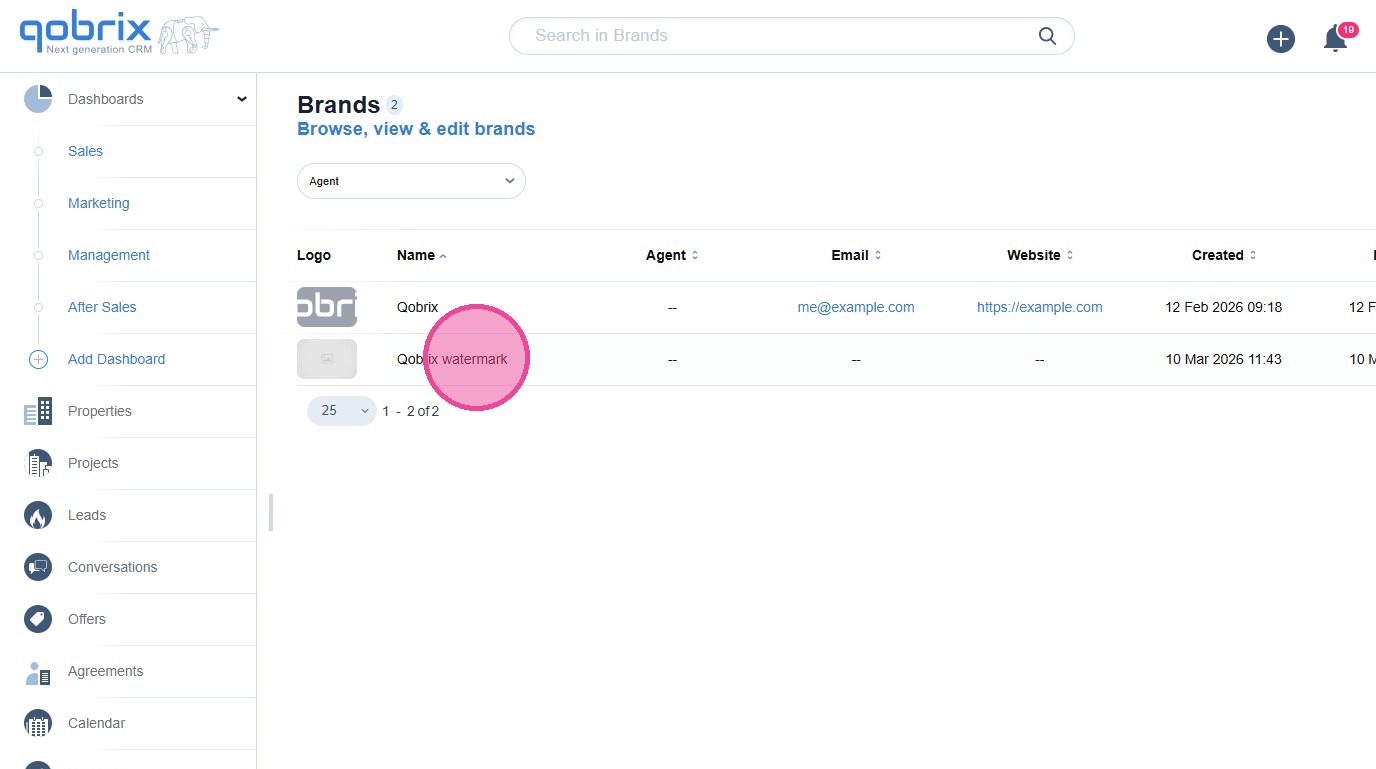
How to create a Brand in Qobrix CRM
Learn how to create and save a Brand in Qobrix CRM by adding your company name, brand colors, contact details, and logo. This guide walks you through each step so your branding is ready to be used across automated emails and CRM communications.
1
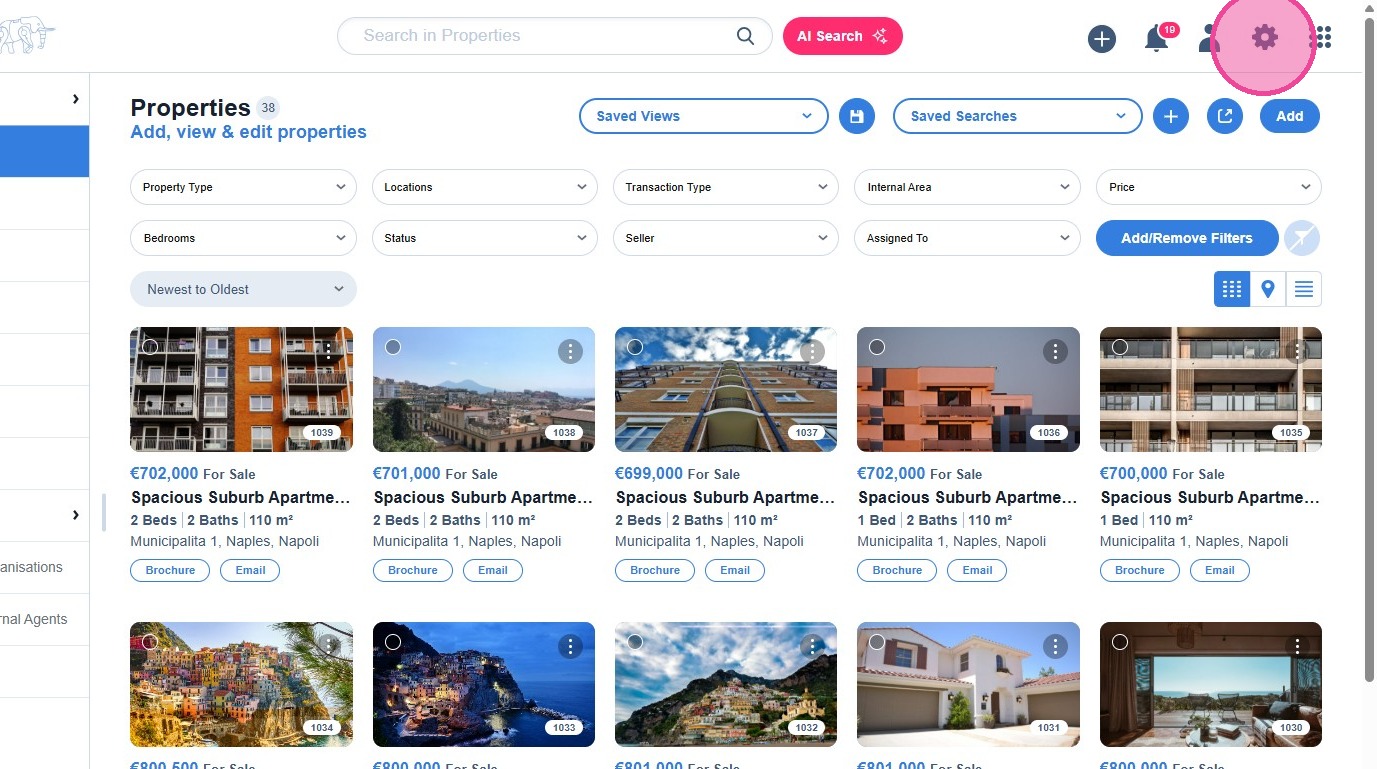
Click on the settings icon.
2
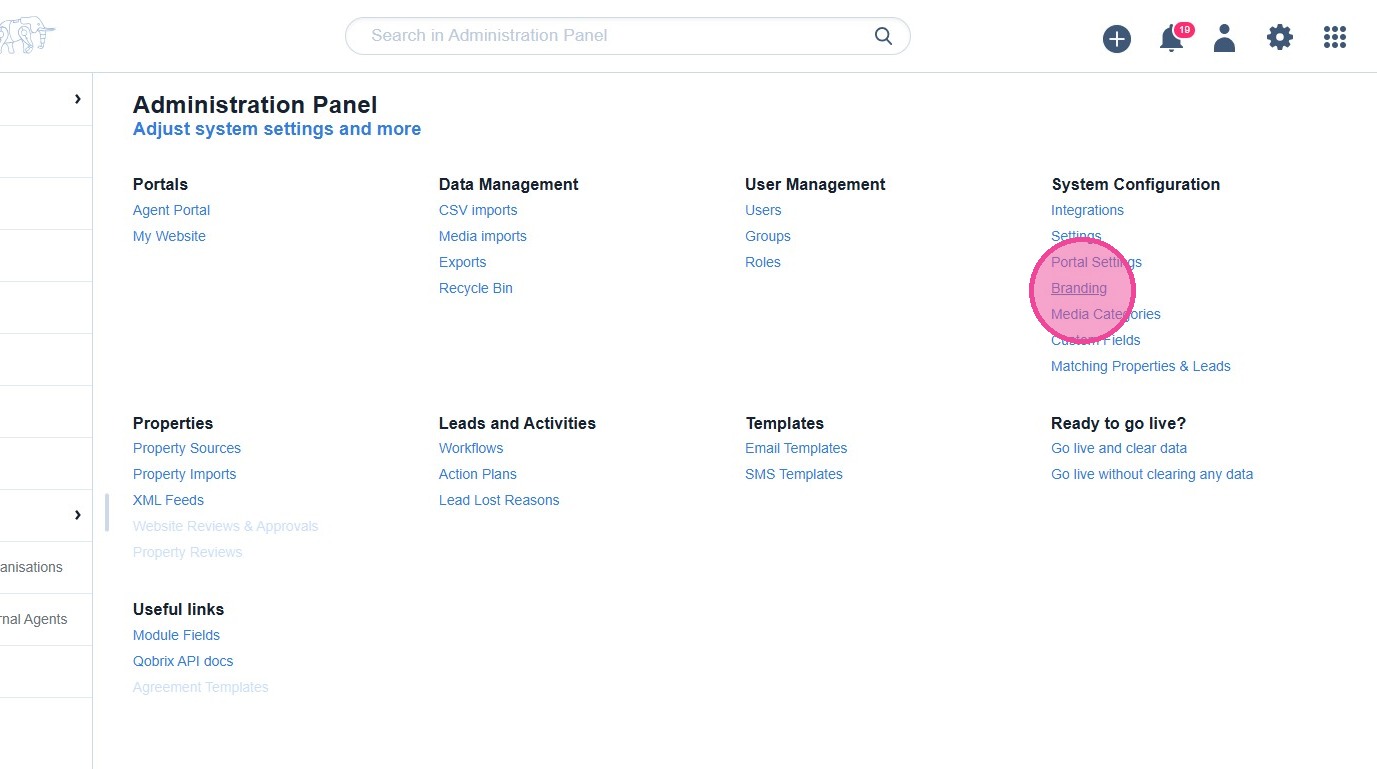
Click the cog setting on your CRM dashboard and then click "Branding".
3
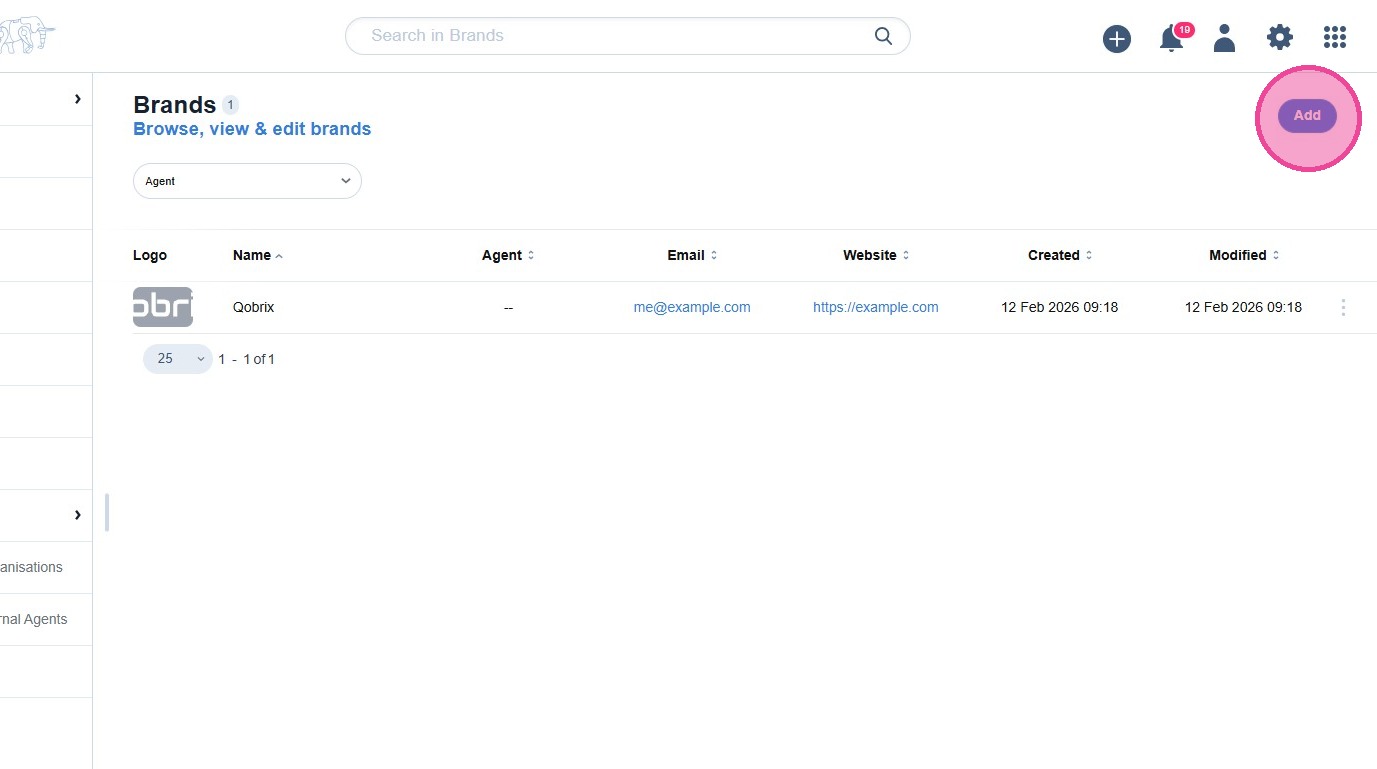
Click "Add".
4
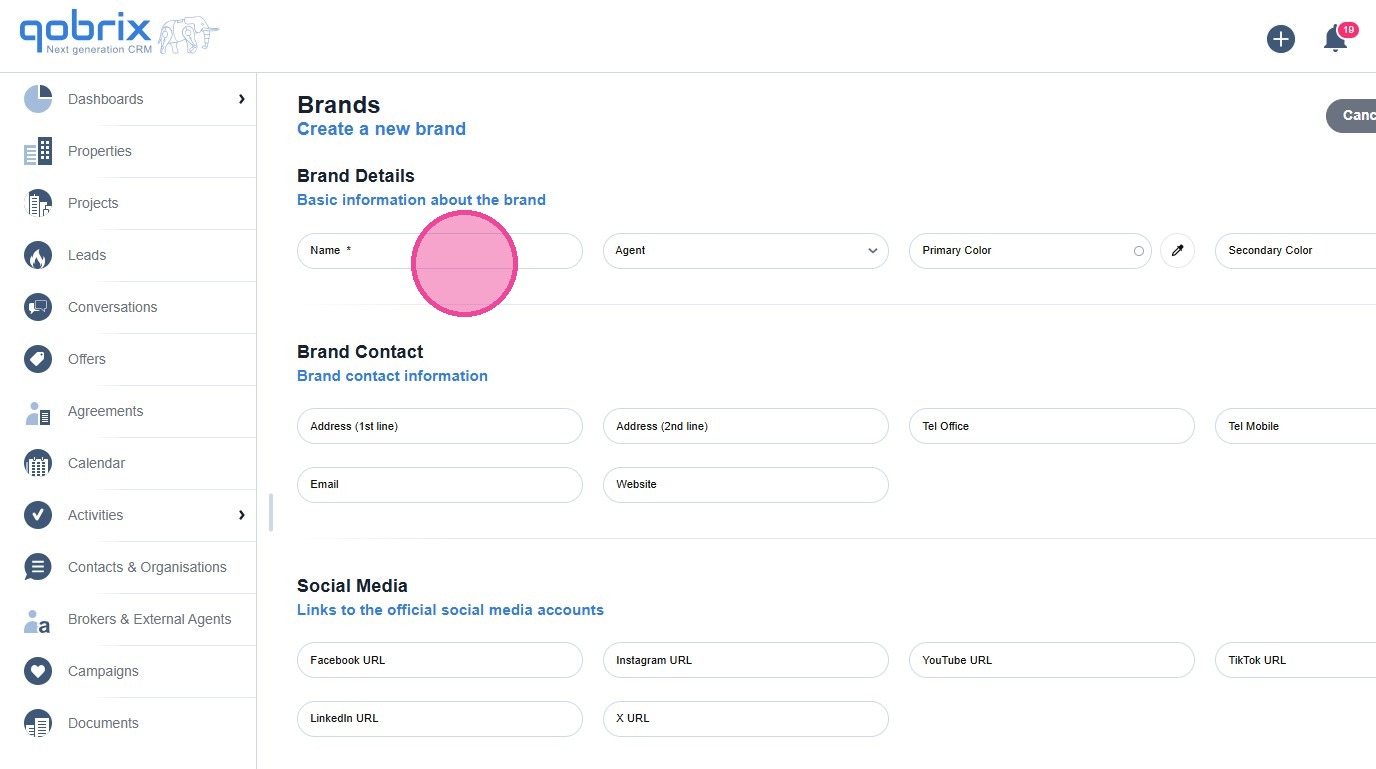
Click the "Name" field and name your Branding profile relevant to your email.
5
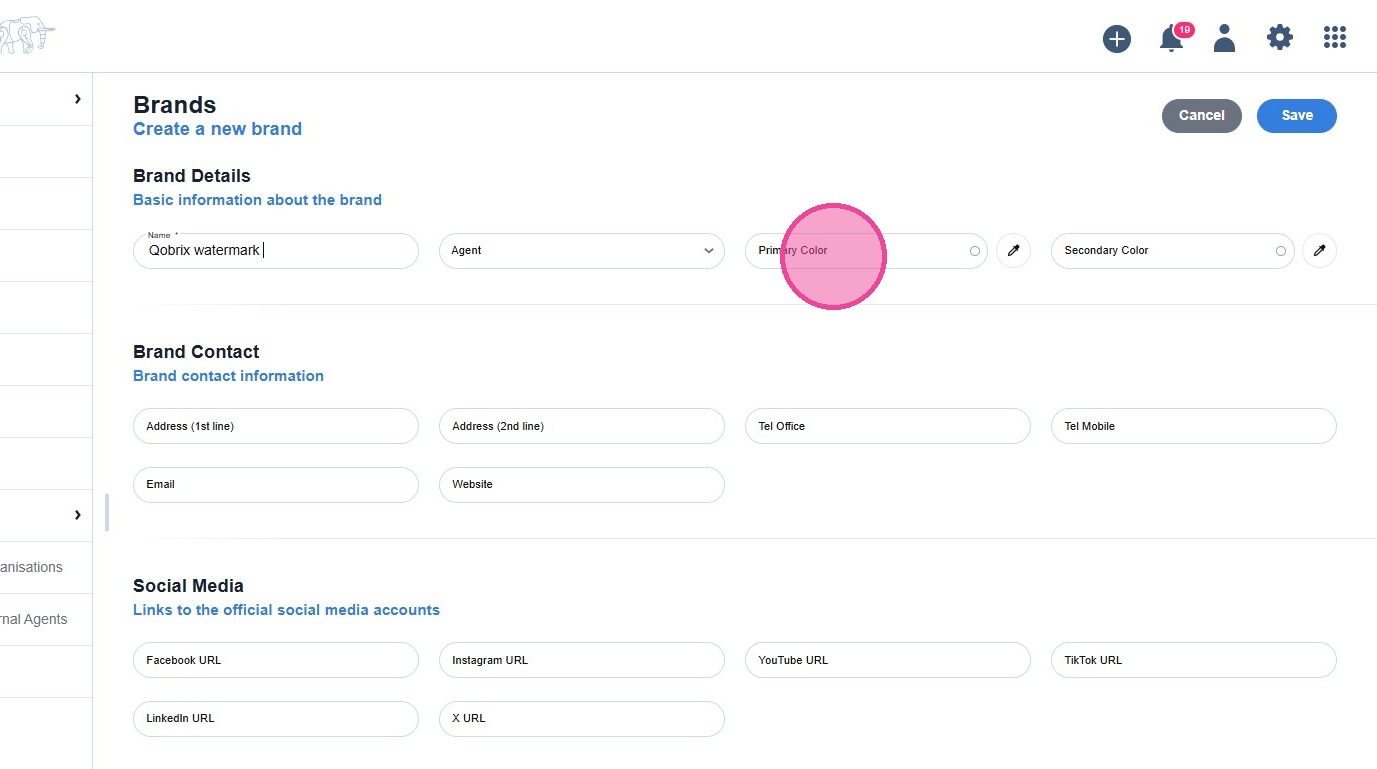
Click the "Primary Color" field and select your company primary color.
6
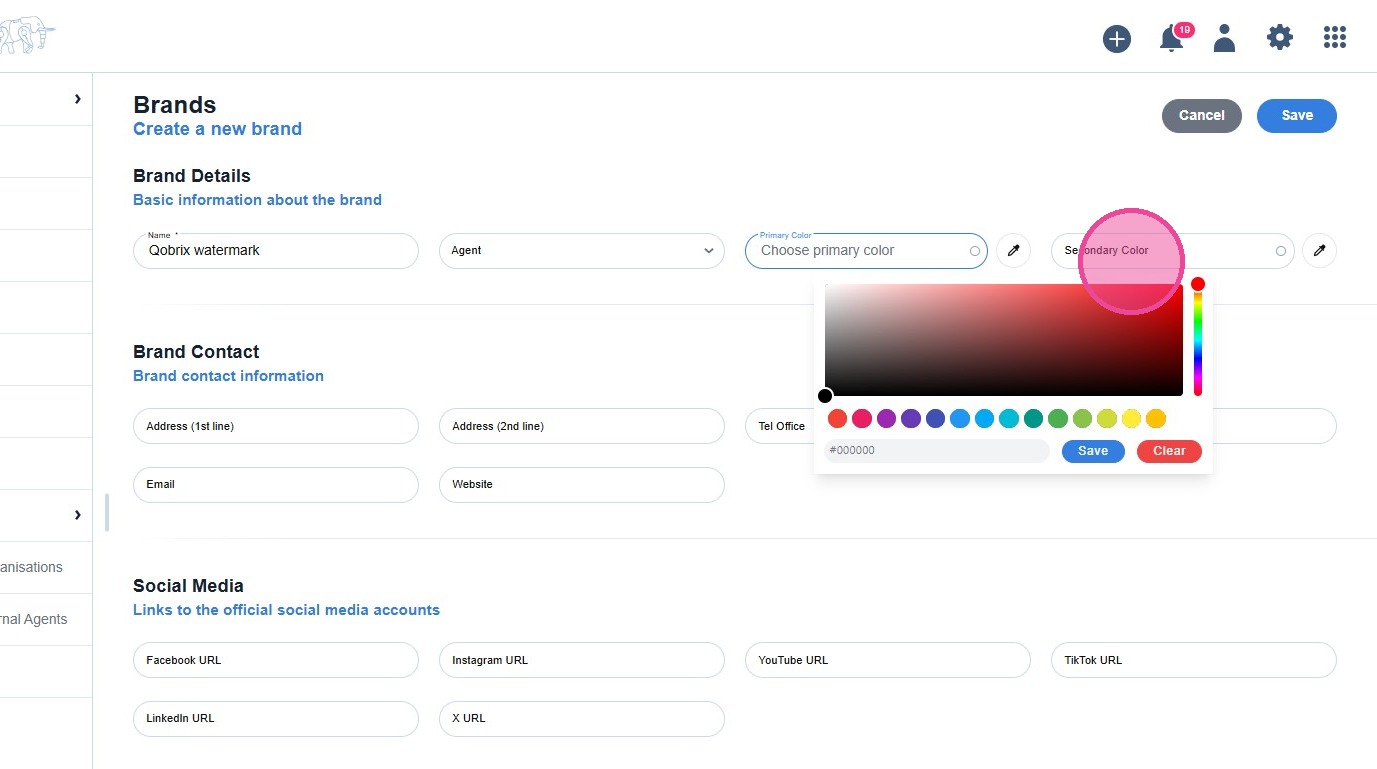
Click the "Secondary Color" field and select your company secondary color.
7
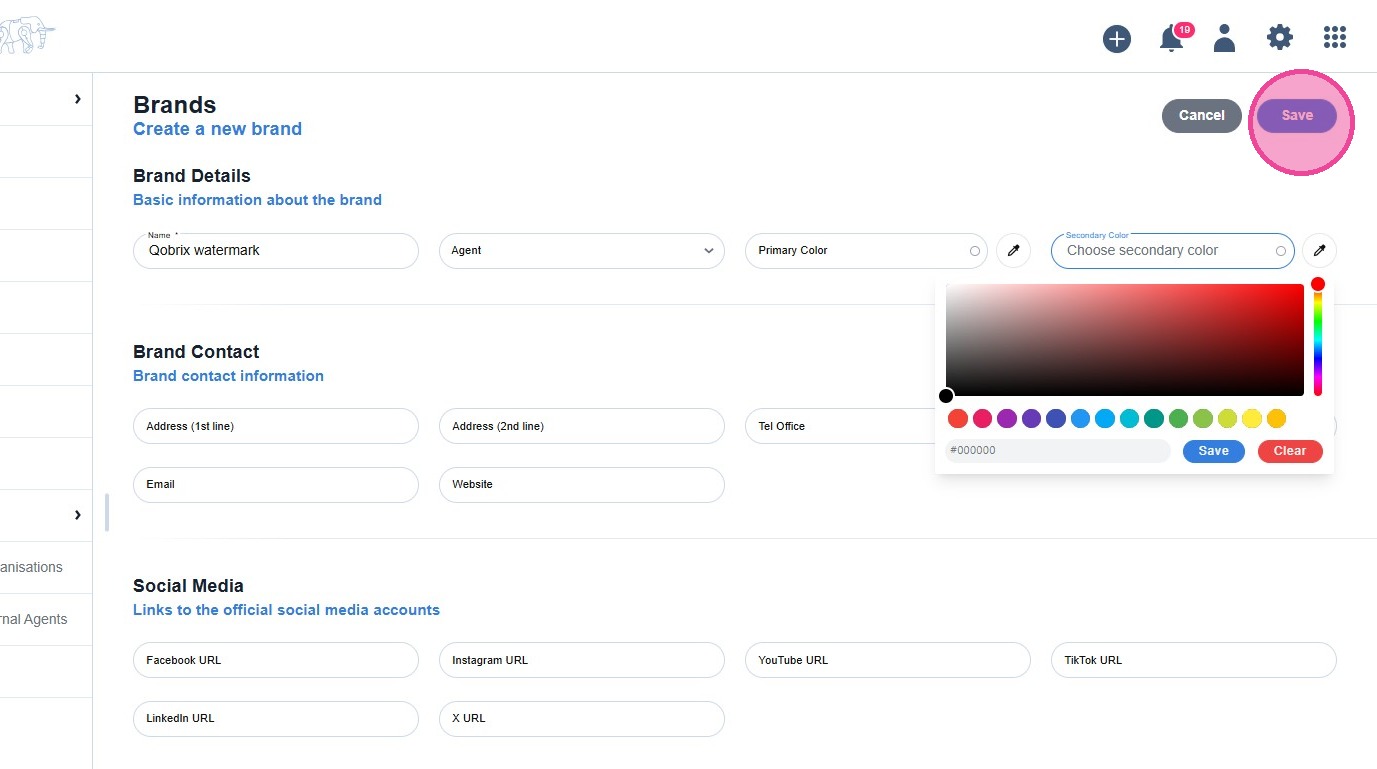
Add any additional details, then click "Save" when you're done.
8
Your new Branding is located in the Brands section.